Manage Billing Customers
A billing customer is anyone you invoice — a contact, developer, partner, or company — along with the name and address that should appear on the invoice. Keep this list current and the right details land on every invoice automatically, instead of being retyped each time.
Entry pointFinance → Payments
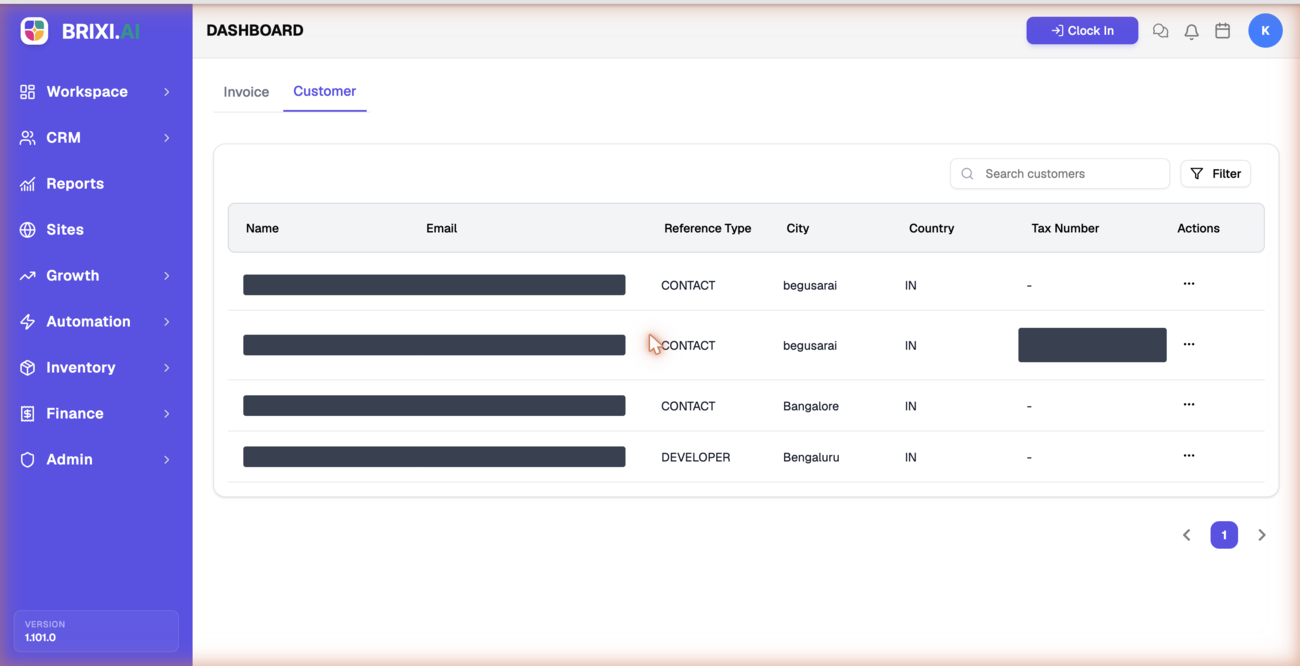
Billing customers live on the Customer tab.
| Article summary | Details |
|---|---|
| Best for | Managers and admins who maintain billing records |
| Main outcome | Accurate customers available to select on invoices |
| Roles | Manager, admin, finance owner |
| Requires | Permission to manage billing customers |
| Related reports | Billing reporting by customer |
Before You Start
You'll need three things:
- A role that can view and manage billing customers.
- The customer type: Contact, Developer, Partner, or Company.
- The billing name and address.
Find a Customer
- Open Finance → Payments and select the Customer tab.
- Use Search customers to find a record by name.
- Use Filter to narrow the list.
Use Customers on Invoices
When you create an invoice, you choose a customer type (Contact, Developer, Partner, or Company) and search for the customer. Keeping this list current means the right name and address appear on the invoice automatically. If a customer is missing, add it with + Add while creating the invoice.
Common Issues
| Issue | What to check |
|---|---|
| Customer is missing from search | Confirm the name and type, then use + Add on the invoice |
| Wrong address on an invoice | Update the customer record, then reselect it |
| Cannot manage customers | Confirm your role can manage billing customers |
If the Customer tab is hidden or you can see customers but not edit them, ask your admin — managing billing records is usually limited to finance roles.
Contact Brixi support if a customer exists on the Customer tab but can't be found or selected when you create an invoice — check the customer type matches first, since a Contact won't appear under a Company search. Include the customer name, its type, and a screenshot.
Reporting Impact
Billing customers group invoices by who is billed. Clean customer records keep billing-by-customer reporting accurate.