Deal Management
A deal is how you track a real opportunity from first interest to a signed sale. It captures the value you're chasing, links the customer to the property it's about, and moves through the stages of a pipeline — so you always know where each opportunity stands and which ones deserve attention first.
Entry pointCRM → Deals
| Article summary | Details |
|---|---|
| Best for | Sales agents and managers tracking active opportunities. |
| Main outcome | Every opportunity has a value, owner, stage, expected close date, and next action. |
| Roles | Sales agent, manager, admin. |
| Requires | Access to contacts, deals, pipelines, and the records assigned to you. |
| Related reports | Sales reports, pipeline reports, agent activity reports, and forecast reviews. |
| Your goal | Article |
|---|---|
| Open a deal to track a live opportunity | Open a Deal to Track an Opportunity |
| Move a deal forward and update its details | Move a Deal Toward Close |
| Shape the stages every deal moves through | Build and Manage Your Sales Pipeline |
| Create deals from a spreadsheet | Import Deals |
Open Deals
In the left menu, select CRM, then Deals. The Deals page has two tabs:
- Deals — the list of deals.
- Pipelines — the pipelines and their stages.
Views
Switch how deals are displayed:
- List — a table of deals.
- Flow — deals grouped by stage, with drag-and-drop columns for each stage.
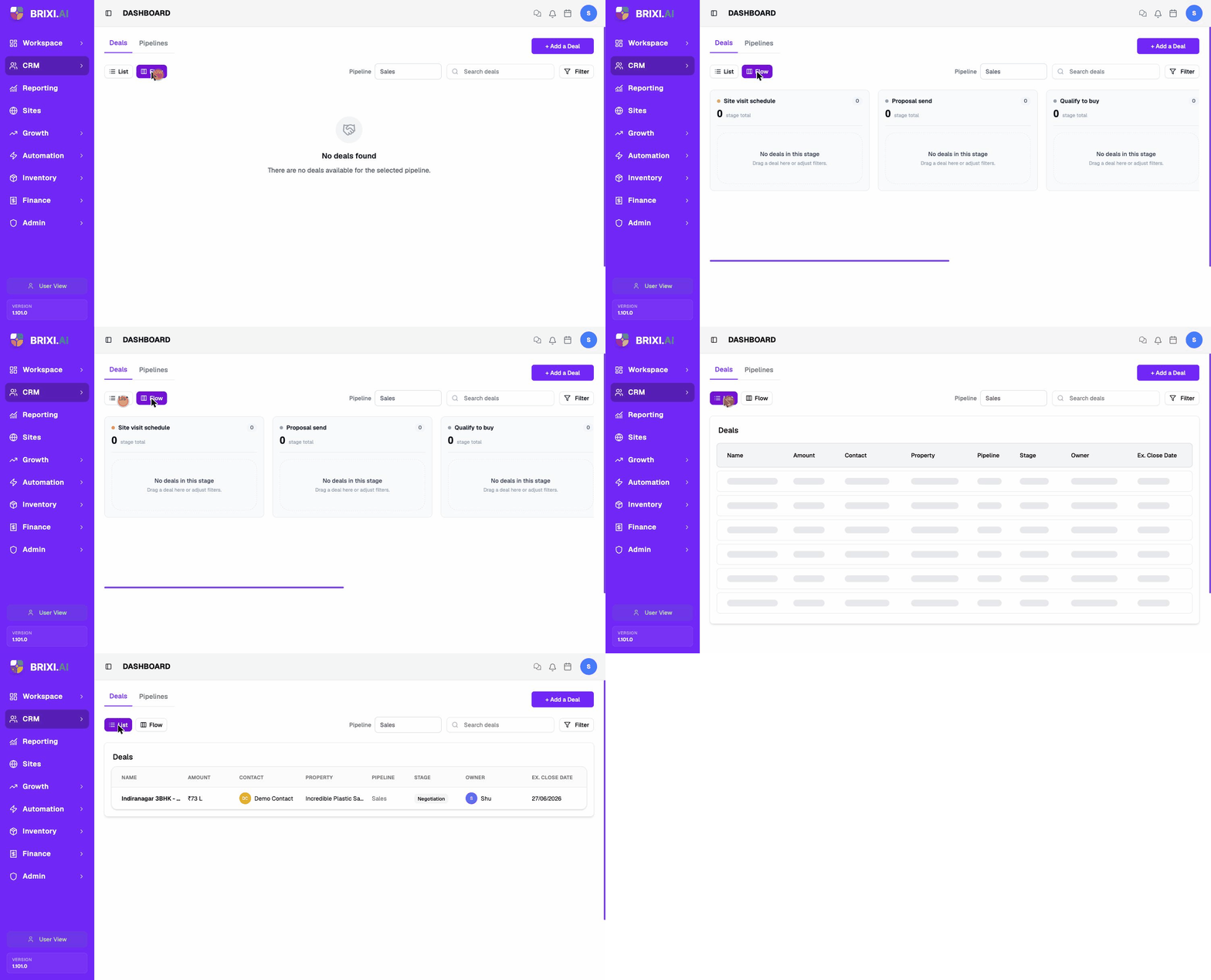
Use the Pipeline selector to choose which pipeline you are viewing (for example, Sales). Use Search deals and Filter to narrow the list.
Deal Columns
The list shows:
| Column | What it shows |
|---|---|
| Name | The deal name. |
| Amount | The deal value. |
| Contact | The linked contact. |
| Property | The linked property. |
| Pipeline | The pipeline the deal belongs to. |
| Stage | The current stage. |
| Owner | The user responsible for the deal. |
| Ex. Close Date | The expected close date. |
To add a deal, select + Add a Deal. See Create a Deal.
Common Issues
| Issue | What to check |
|---|---|
| A deal is missing | Check owner, pipeline, filters, stage, and whether you are viewing List or Flow. |
| A stage cannot be selected | Confirm the correct pipeline is selected and your admin has configured the stage. |
| Deal value or close date looks wrong | Open the deal and update the amount, expected close date, owner, or linked contact. |
| A manager cannot see team deals | Review team visibility, owner assignment, and report permissions. |
Most "missing deal" reports turn out to be a filter, the wrong pipeline selected, or owner visibility. Work through the Common Issues table above first, and ask your admin if you suspect your role can't see another agent's deals — team visibility is their setting, not yours.
If the right pipeline and filters are selected and a deal you own still doesn't appear in either List or Flow view, contact Brixi support with the deal name, the pipeline, and a screenshot of your filters.