Track Site Visitor Activity
The Site Activity page shows you who's engaging with your sites and microsites, scored as Hot, Warm, or Cold. Use it to spot the warmest prospects and follow up with them first, before their interest fades.
Entry pointGrowth → Site Activity
| Article summary | Details |
|---|---|
| Best for | Agents and managers prioritizing follow-up from web interest |
| Main outcome | A focused list of the warmest site-driven leads to act on |
| Roles | Sales agent, manager, admin |
| Requires | Permission to view Site Activity; published sites or microsites |
| Related reports | Website lead source and engagement reporting |
Before You Start
- Confirm your role can view Site Activity. Without permission you'll see a message that you cannot perform the action.
- Make sure you have a published site or microsite generating visits. See Sites.
Filter by Interest
Use the interest filters to focus on the right prospects:
| Filter | Shows |
|---|---|
| All | Every activity record |
| Hot | The most engaged, highest-interest prospects |
| Warm | Moderately engaged prospects |
| Cold | Low-engagement prospects |
Use Filter and Sort to refine the view further.
At the top, the Live Conversion Funnel summarizes engagement for the selected period — Total Visitors, Gallery Viewed, Video Watched, Brochure DL, Lead Inquiry, and Site Visit. Below it, each row shows the Lead Details, Type, Agent, Projects, Level (Hot/Warm/Cold), Score, Duration / Activity, and Created At.
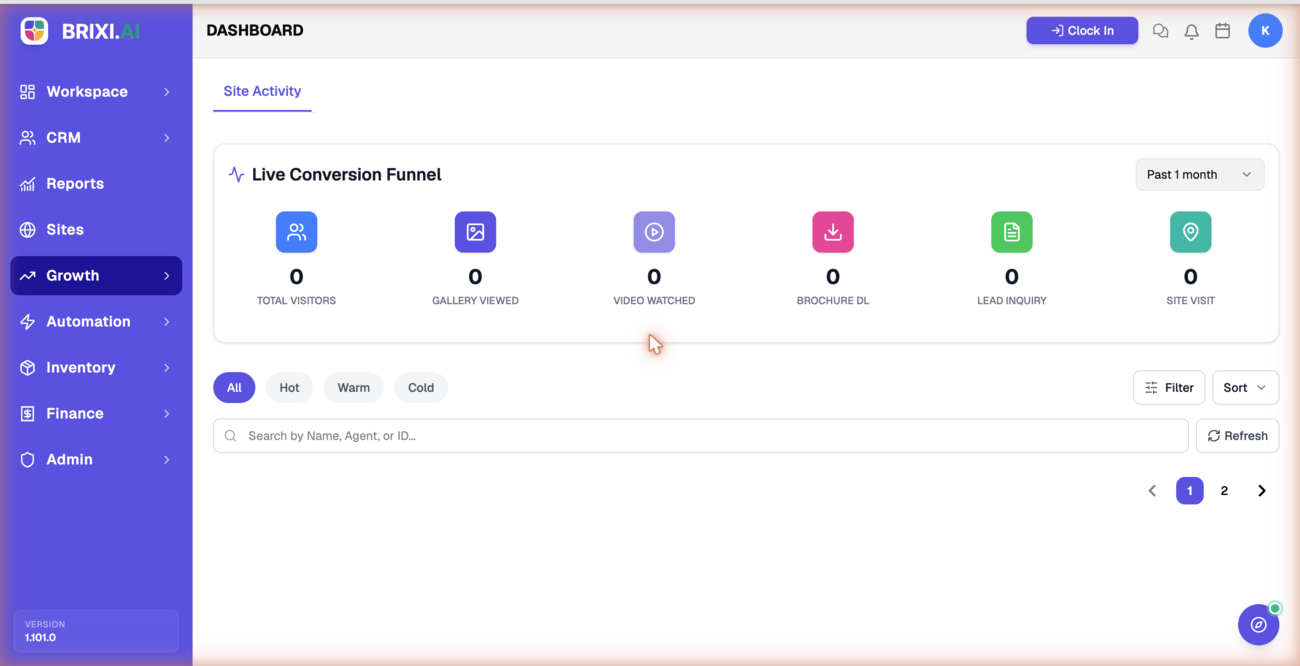
Work the Hot list first. Following up while interest is high usually converts more site visitors into qualified leads.
Find an Activity Record
Use Search by Name, Agent, or ID to locate a specific record, then open it to review the engagement and follow up.
Common Issues
| Issue | What to check |
|---|---|
| "You do not have permission to perform this action" | Ask your admin to grant Site Activity access |
| No activity appears | Confirm a site or microsite is published and receiving visits |
| Records fail to load | Select Try again; if it continues, contact support |
| Cannot find a record | Search by name, agent, or ID, and clear the interest filter |
The permission message ("You do not have permission to perform this action") is the most common blocker on this page, and it's entirely an admin matter — ask them to grant Site Activity access. An empty page usually just means no published site is getting visits yet.
Bring in Brixi support only if you have access and traffic but records still fail to load after Try again, or if engagement you can verify happened (say, a brochure download you watched a client make) never shows up. A screenshot of the funnel and filters helps them narrow it down.
Reporting Impact
Site Activity reflects engagement from your web presence. Working it by interest level keeps website lead source and follow-up reporting aligned with where leads actually come from.