Track Site Visit Follow-Through
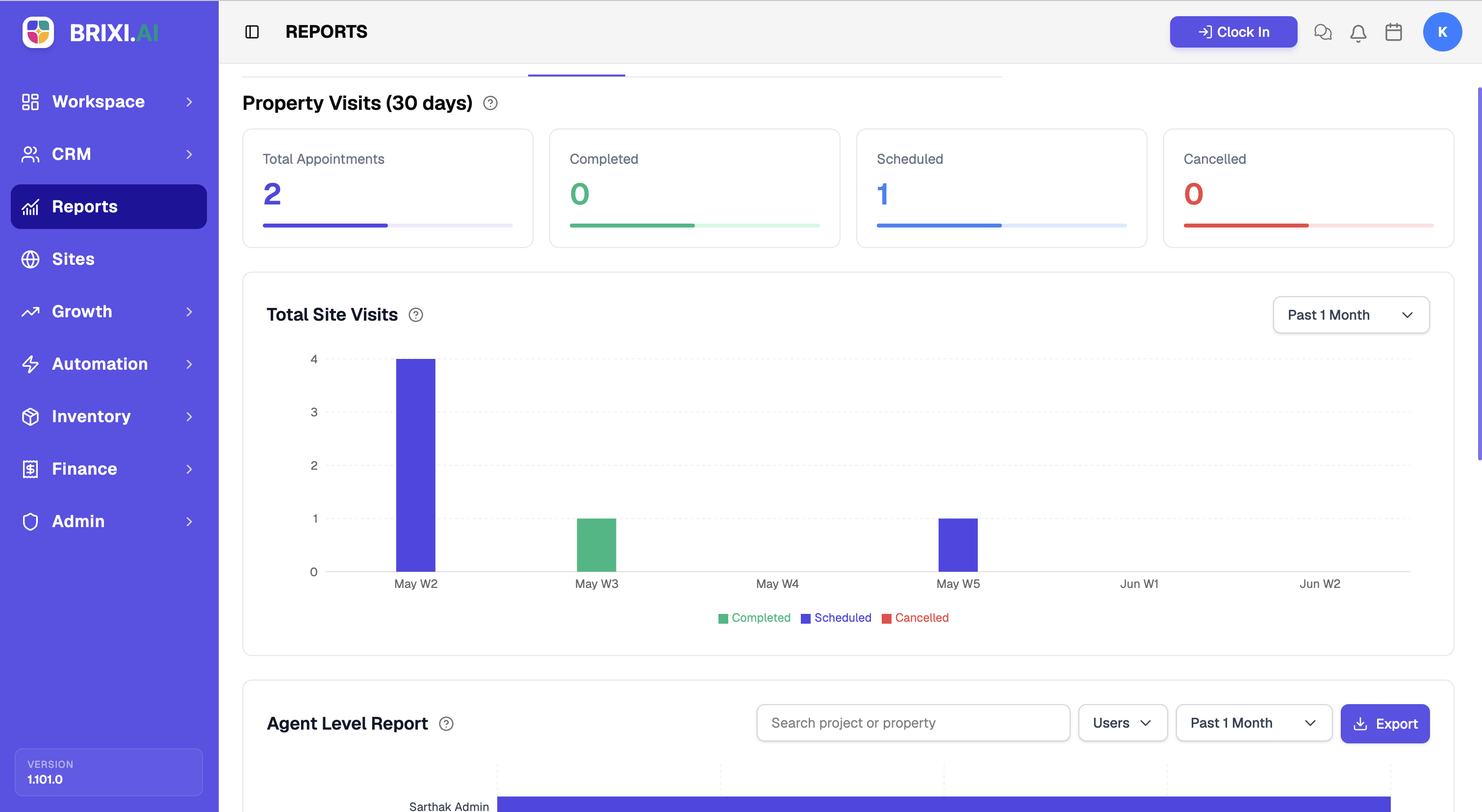
Booked visits only count if they happen. This report tracks appointment volume against completed, scheduled, and cancelled outcomes over time, so scheduling and follow-up gaps show up before they cost you deals.
Entry pointReports → Site Visits
| Article summary | Details |
|---|---|
| Best for | Managers tracking site visit follow-through |
| Main outcome | A read on appointment volume and completion |
| Roles | Manager, admin |
| Requires | Permission to view Reports; scheduled property visits |
| Related reports | Agent Activity, Sales |
What It Shows
| Section | What it tells you |
|---|---|
| Property Visits cards | Total Appointments, Completed, Scheduled, and Cancelled for the period |
| Total Site Visits trend | Completed, Scheduled, and Cancelled visits over time |
Before You Start
The cards default to the last 30 days, so set the period to the window you actually want to review before reading anything else.
How To Read It
- Open Reports → Site Visits.
- Read the four cards for a quick total of appointments and their outcomes.
- Read the Total Site Visits trend to spot weeks with more cancellations or completions.
Common Issues
| Issue | What to check |
|---|---|
| Completed count is low | Confirm agents mark visits as completed after they happen |
| Cancelled count is high | Review scheduling and follow-up with the team |
If the Site Visits tab isn't visible, ask your admin about your reporting access. A low Completed count usually isn't a data problem at all — it's agents forgetting to mark visits done, which the team lead should chase.
When the counts genuinely disagree with the calendar or the property visit records, contact Brixi support with the period and a screenshot.
Reporting Impact
Completion rates only mean something if agents update visits after they happen. A visit left in Scheduled forever quietly skews the funnel.