Compare Project Performance
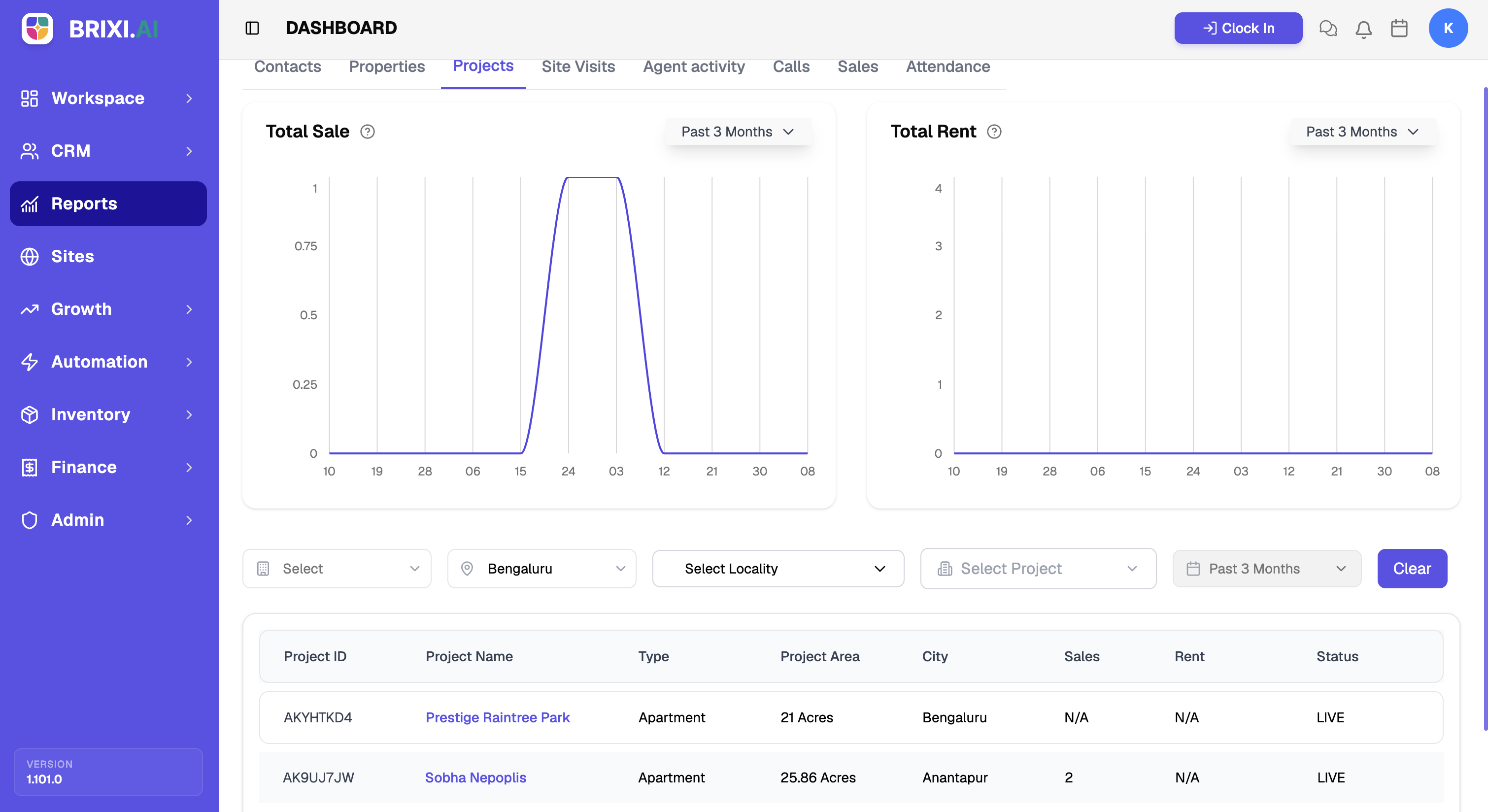
When you're deciding where sales effort and marketing spend should go, this report puts your developments side by side — sale and rent activity per project, so the ones pulling their weight stand out from the ones lagging.
Entry pointReports → Projects
| Article summary | Details |
|---|---|
| Best for | Managers comparing project performance |
| Main outcome | A read on sale and rent activity by project |
| Roles | Manager, admin |
| Requires | Permission to view Reports; projects in Inventory |
| Related reports | Property Report, Sales |
What It Shows
| Section | What it tells you |
|---|---|
| Total Sale | Sale activity over the selected time range |
| Total Rent | Rent activity over the selected time range |
| Project table | Per-project rows with Project ID, Project Name, Type, Project Area, City, Sales, Rent, and Status |
Before You Start
- Use the Select, City, Project, and Time Range filters to focus the view. Choose a city before selecting a project.
- Select Clear to reset the filters.
How To Read It
- Open Reports → Projects.
- Compare the Total Sale and Total Rent charts.
- Scroll to the Project table to read per-project sales, rent, and status.
- Filter by city, project, or time range to narrow the comparison.
Common Issues
| Issue | What to check |
|---|---|
| A project is missing | Confirm it is listed in Inventory and matches the city filter |
| The project list is empty | Select a city first, then choose the project |
Two things to check with your admin before anything else: whether your role can see the Projects tab, and whether a "missing" project is actually listed in Inventory for the city you filtered on.
If a project's sale or rent figures disagree with the deals linked to it, that's a Brixi support question — include the filters you applied and a screenshot.
Reporting Impact
The numbers come from project-linked deals and listings, so a comparison is only fair when every project and its status is current in Inventory.
Was this article helpful?If something is unclear or out of date, email support@brixi.ai with the article title — or see Getting Help for what to check first.