Monitor Team Attendance
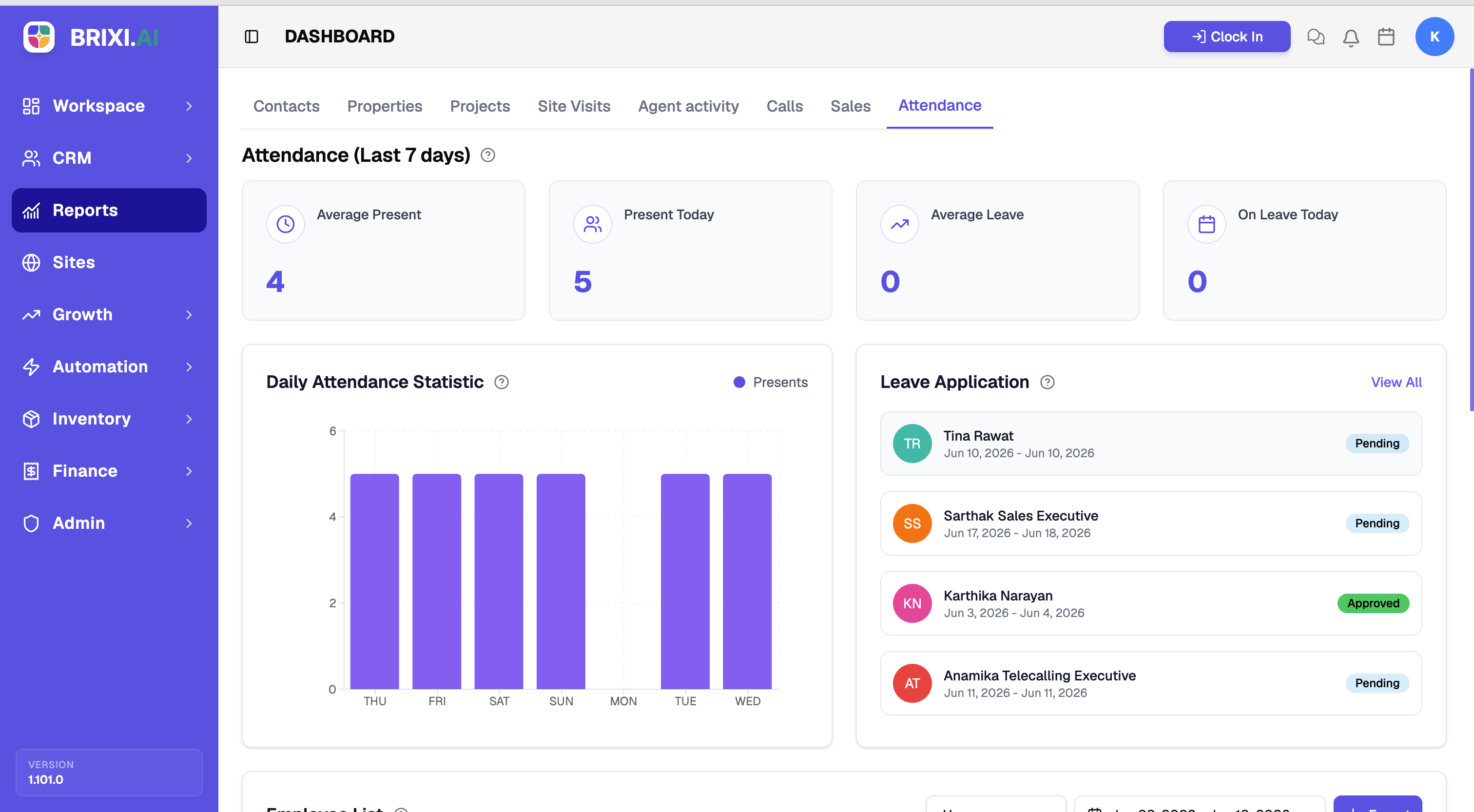
Check who's in today, who's on leave, and how attendance trends across the week. Presence and leave sit at a glance beside a daily trend and pending leave requests — so coverage gaps and patterns show up before they become problems.
Entry pointReports → Attendance
| Article summary | Details |
|---|---|
| Best for | Managers and admins tracking team presence |
| Main outcome | A read on attendance and leave |
| Roles | Manager, admin |
| Requires | Permission to view Reports; attendance and leave records |
| Related reports | Agent Activity |
What It Shows
| Section | What it tells you |
|---|---|
| Attendance cards | Average Present, Present Today, Average Leave, and On Leave Today |
| Daily Attendance Statistic | Presents across the days of the week |
| Leave Application | Pending leave requests, with View All for the full list |
Before You Start
The cards default to the last 7 days. The numbers only reflect reality if your team clocks in and records leave, so it's worth confirming both habits are in place before relying on this report.
How To Read It
- Open Reports → Attendance.
- Read the cards for today's presence and average leave.
- Read Daily Attendance Statistic to spot low-attendance days.
- Check Leave Application and select View All to review requests.
Common Issues
| Issue | What to check |
|---|---|
| Present Today is zero | Confirm the team is clocking in |
| Leave is missing | Confirm leave is applied and approved in the workforce settings |
Your admin handles the two usual suspects: the Attendance tab being hidden for your role, and leave that never shows up because it wasn't approved in the workforce settings.
If people are clocking in correctly and the numbers here still disagree with the clock-in records, contact Brixi support with the period and a screenshot.
Reporting Impact
Clock-ins and approved leave are the only inputs here. Someone who's at work but didn't clock in counts as absent, full stop.